Shawarma Grill
A concept build for a two-location shawarma spot — the menu is the product, so it is on screen in one tap, with prices, at both addresses.
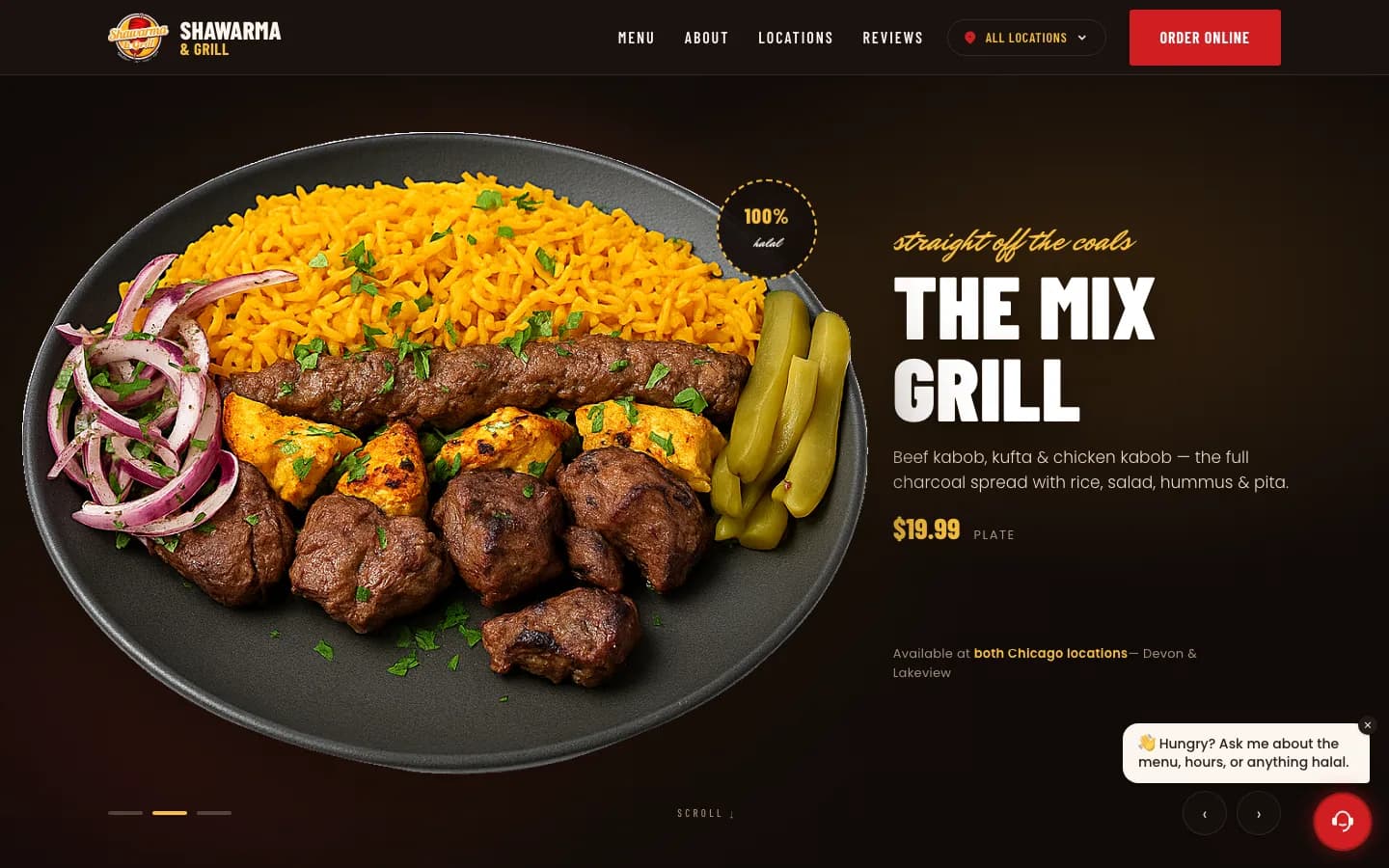
Three dishes with prices before the first scroll. On a restaurant site the menu is not a page you link to — it is the product.
The menu is the product. Everything here gets it on screen faster.
Seven menu categories — Plates, Sandwiches, Kabobs & Grill, Salads, Appetizers & Sides, Catering and Drinks — reachable in one tap
Prices printed against every dish, from a $14.99 veggie plate to a $19.99 mix grill
Three signature dishes surfaced with prices before the first scroll
Two locations, each with its own hours, phone number, ordering link and directions link
A dedicated catering section, because catering is the highest-value order on the menu
Warm, appetite-led photography running the length of the page
Nobody visits a restaurant website to read about the restaurant
They came for the menu. They may also want the hours, the address, and a way to order — but the menu is the reason the tab is open. Any restaurant site that opens with the founding story, then links to a menu on another page, has put a door in front of the only thing the visitor asked for.
So the menu is not a page here. It is the page. Three signature dishes appear with prices before the first scroll — chicken shawarma at $16.99, beef at $17.99, the mix grill at $19.99 — and the full list of seven categories sits directly underneath, no navigation required.
Print the prices
Every dish on this build carries its price. That is not a design flourish; it is the single highest-value decision on a restaurant site, and it is the one most often skipped because a PDF menu is easier to hand over than a real one.
A visitor deciding where to eat is running a budget calculation whether you help them or not. If your prices are missing, they assume expensive and they leave — and you never find out it happened. The spread here does the work on its own: a veggie plate at $14.99 next to a mix grill at $19.99 tells someone in two seconds that this is a place they can afford, which is exactly the conclusion you want them reaching before they look at your competitor.
PDF menus fail twice over, incidentally. They are unreadable on a phone, and search engines cannot index the dish names inside them — so you lose the visitor and the search traffic in the same move.
Two locations, two sets of hours, two ordering links
The Devon and Lakeview branches do not keep the same hours. Devon runs to 3:00 AM, Lakeview to 12:30 AM. If you publish one combined hours block, you are wrong for one branch every single night — and the customer who drives to a closed restaurant does not blame the website.
Each location therefore gets its own card: address, phone number, its own hours, its own "Order Online" button and its own "Directions" link. That last pairing matters more than it looks. Someone reading a restaurant site is about to do one of two things — order from where they are, or drive to you — and putting both actions in the same place, per branch, means neither one requires a decision about which link is the right one.
Those late hours are worth surfacing rather than burying, too. A kitchen open until 3:00 AM is a genuine competitive advantage at 1:00 AM, when almost every search for food nearby is being run by someone with very few remaining options.
Catering earns its own section
A catering order is worth many times an individual plate, and the people placing them — offices, mosques, families running an event — are not browsing the same way a hungry walk-in is. They arrive with a headcount and a date, and they need to know you can handle both before they call.
So catering is not a line in the footer. It is its own section with its own call to action, positioned after the menu has already established range and price. By the time a visitor reaches it, they have seen the seven categories and know what feeding forty people would look like.
Four things you can check on the live site right now.
- 1Open it on a phone and count the taps to a price. It should be zero — the first three are already on screen.
- 2Compare the two location cards. Devon runs to 3:00 AM, Lakeview to 12:30 AM.
- 3Check that both "Order Online" and "Directions" appear on each location card.
- 4Scroll to the catering block and note where it sits — after the menu, not before it.
Want a site like this for your restaurant?
Book a free consultation. We'll show you what we'd build for you, and what it would take.